FCBKcomplete v 1.09

FCBKcomplete v 1.09

Posted on 25. Mar, 2009 by emposha in ASP.NET, Facebook, Featured Articles, Javascript, Jquery, Pro Counter

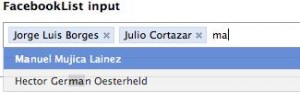
Fancy facebook-like dynamic inputs with auto complete & pre added values. If you have any comments or requests, please post them and I will try to include all the requested features in the upcoming release.
New version of FCBKcomplete can be found here

Download: Download FCBKcomplete

Demo: Demo FCBKcomplete

Use:

<script language="JavaScript">
$(document).ready(function() {
$.facebooklist('#elem', '#list', '#complete',{url:
'ajax-url',cache:1}, height, {userfilter:1,casesensetive:0});
});
</script>

* This source code was highlighted with Source Code Highlighter.

elem – input element id or object
list – preadded elements
complete – autocomplete div id or object
ajax – object with two parametrs a) url to fetch json object b) use cache
height – maximum number of element shown before scroll will apear
filter – object with two parametrs a)case sensitive b) show/hide filtered items
newel – show typed text like a element

Creditrs for CSS & HTML structure: Guillermo (http://devthought.com)

Updates:

- 1.09 IE crash fixed

- 1.08 some minor bug fixed

-1.07  case sensetive added
applied filter to non ajax items
filter algorithm changed
cache for ajax request added
up/down with auto scrolling
minor code fixes

- 1.06 auto heigth fix
event bind on main element for better user frendly experience
filter for items
up/down keys supported from now

- 1.05 bindEvents function fixed thanks to idgnarn

- Name changed to FCBKcomplete

- 1.04 IE7 <em> tag replace fixed

- 1.03 IE7 & IE6 crash fixed
IE7 css fixed

- 1.02 json parsing fixed
remove element fixed

- 1.01: some bugs fixed

Tags: , , ,

Page:

105 Comments

GreenAlgae

14. Oct, 2008

hmmh, it does not display the code correctly, the point is to use a case-insensitive regular expression instead of a normal string.

JETM

26. Oct, 2008

I’m using the newest/demo version and in still IE7 don’t work fine.
When choice a element show me Manuel Mujica Lainez and the code in HTML M<EM>a</EM>nuel Mujica Lainez.

Any suggestions/idea to fix it?

admin

27. Oct, 2008

JETM & GreenAlgae: fixed :)

[...] | emposha.com posted under jQuery, [...]

Marco

04. Nov, 2008

I think you should at least give some credits to Guillermo (http://devthought.com) since you ported his idea to jQuery (btw. there is another and smaller one over here: h**p://www.bigredswitch.com/blog/2008/10/jquery-dynamic-textboxlist/) and even used the same example names!

admin

04. Nov, 2008

to Marco: credits added thanks, about smaller check sizes of js files again :)

matias

10. Nov, 2008

How can i send data in a form?
if i put a submit button i cant receive anything…

matias

10. Nov, 2008

Forget my previous message :)
it’s monday in the morning hehe

[...] birini seçince kutunun içerisine otomatik ekleniyor. Hoş değil mi? Uygulamanın sitesine buradan ulaşabilirsiniz. Uygulamyı bizim sitemizde buradan bakabilir, zip olarak da buradan [...]

Tor

25. Nov, 2008

Hey
How do i set that the li element in #feed to only show captions that really have the letters i type in the input.maininput.
This is a very nice script but i dont want too show all my values in the li list.

Alexandre

25. Nov, 2008

Hello all,

I would like to know how do we put the focus() on the element ? I have tried with the default name, but it does not work.

Thanks all

Jquery! MultiSelect

28. Nov, 2008

[...] click here to see the complete example [...]

admin

28. Nov, 2008

@Tor: This kind of functionality better impelment in server side script language.

@Alexandre: $(“#elementid”).focus();

Andrew Coleman

10. Dec, 2008

Hey, i want to use this with Packer, and here is a small patch to do that. You need some semicolons ending function definitions, that’s all.

http://pastie.org/335561

Andrisi

31. Dec, 2008

Hi! Looks very nice, but when I type “Manuel” in the demo, it does not filter the dropdown list, so I see one Manuel in the 2nd row, but the other is not visible in the dropdown, because it’s around the 10th. Or ther’s a setting for this? Also maybe you could change in to be case insensitive. I’ll look into it. It would be nice to navigate the dropdown with the up and down keys, and also if after adding an item, the cursor (focus) would remain in the textarea. I know it’s a free component, and I have to stop complaining and giving ideas… Anyway, happy new year!

Njau Ndirangu

12. Jan, 2009

How do you incorporate Mysql in this to fetch the array?

webosb

16. Jan, 2009

you should turn this into a wordpress plugin (for the search box)

Zach Leatherman

16. Jan, 2009

Good start!

I believe that standard autocomplete should include keyboard support. At minimum, up and down arrows, with selection occurring when you press the enter key.

William

16. Jan, 2009

Might I suggest having the plugin add a click handler to the ‘ul.holder’ element, that puts focus on the border-less input? It would be reasonable for a user to expect clicking at the end of the “text input” to bring it into focus and add an input cursor, but if the ‘.bit-box’ elements are wide enough to cause the input to overflow to the next line, it becomes difficult to tell how to input more names. I think this is the issue kareem hassan was reporting.

To make it even fancier, instead of using margin-right to space a ‘.bit-box’, you could try inserting an empty LI tag with the same width as the margin, and attaching a click handler to that which will insert-and-focus a new border-less, size-1, auto-expanding text input between names in the list (or at the beginning of the list). And check to see if jQuery.ui.sortable is present, and allow the names to be swapped around if so.

I would try to do it myself, but I already have too much work to do, and probably shouldn’t be spending my time reading blog posts on neat new interface tricks. Thought the ideas worth mentioning though, in case anyone else feels like taking up the challenge.